
Features
Everything below is included
This is what an AysOps account can do on the day you create it, with nothing extra to buy. The add-ons at the bottom of this page extend it — they don’t unlock it.
Customers and projects
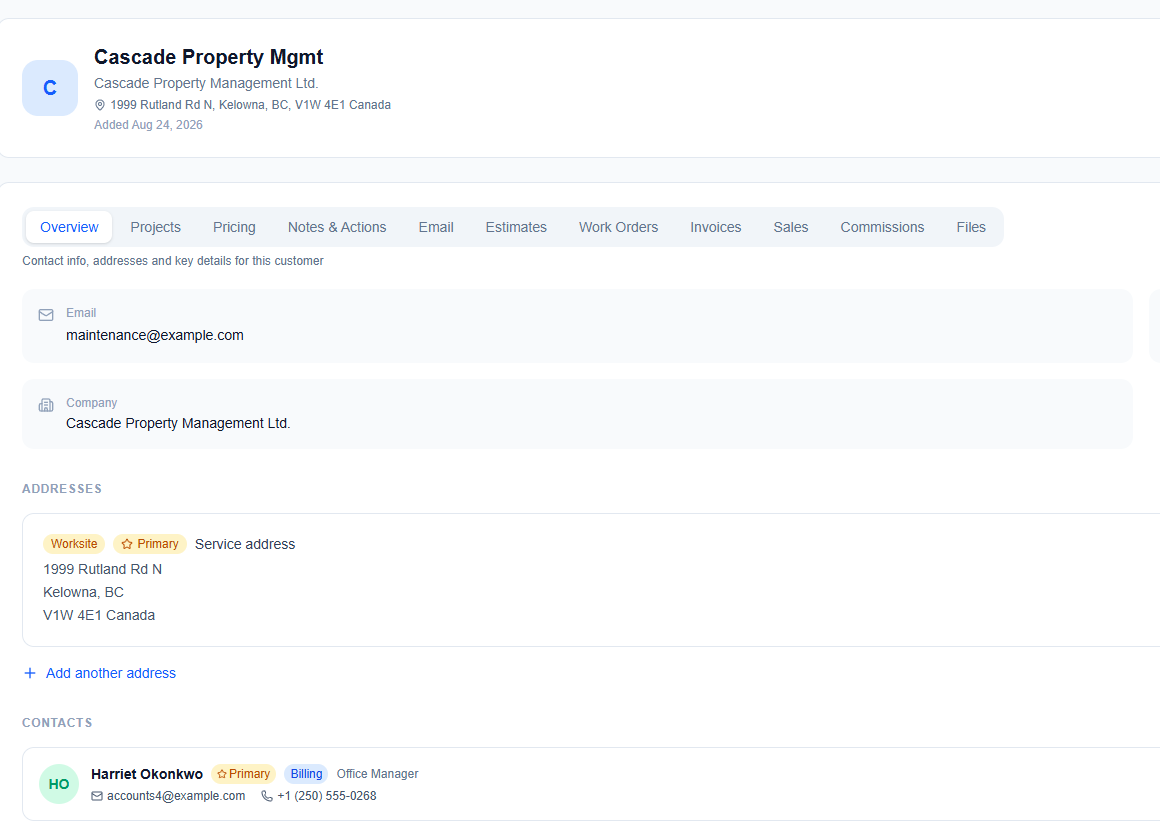
A full customer record — contacts, addresses, notes, documents, history — with duplicate detection on entry.
- Contacts, addresses and rich-text notes per customer
- Company projects for your own ventures, billed to nobody, alongside customer projects
- Customers flagged as gone quiet after a period you choose
- Every file, estimate, work order and invoice on the record
Estimates that become work orders that become invoices
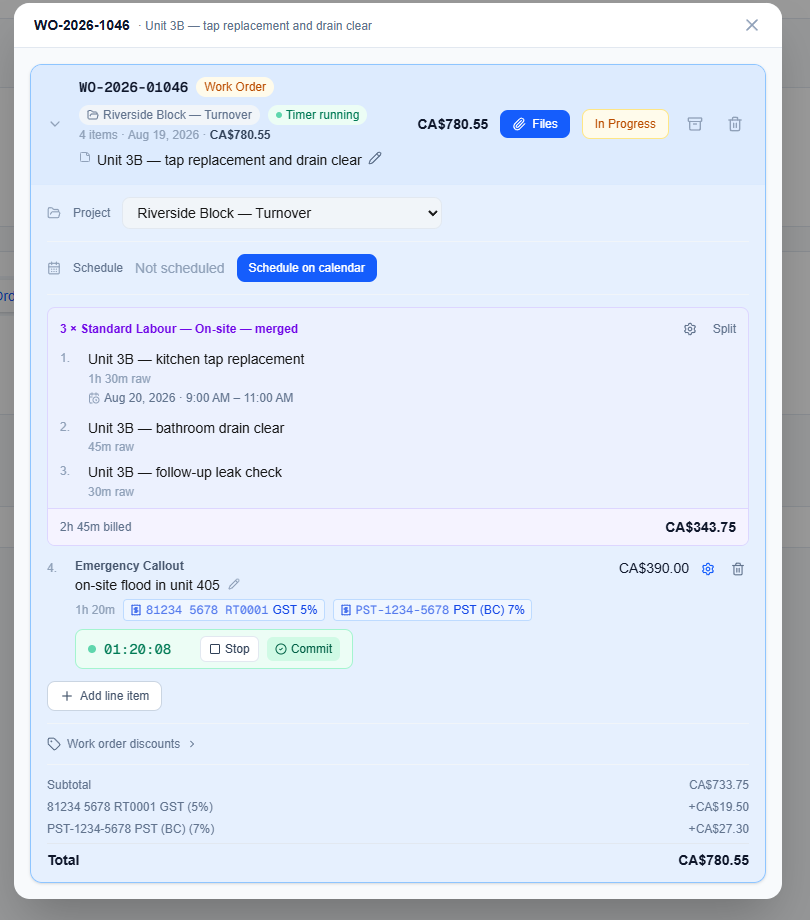
One document that changes state, rather than three that need copying. Nothing is retyped between quoting and billing.
- Estimates go out as a branded PDF with a link the customer opens without logging in
- They approve with a typed name and a signature — customer approval is free, not an add-on
- Approved estimates convert to a work order in a click
- Line items, saved rates, products, travel, taxes and discounts
- Invoices add deposits, partial payments and a running balance
- Rich-text descriptions, your own prefixes and numbering, attachments
- Your logo on every PDF and email, on every account
Getting paid
However the money arrives, it lands on the invoice and the balance updates.
- Invoices emailed, printed or downloaded as PDFs
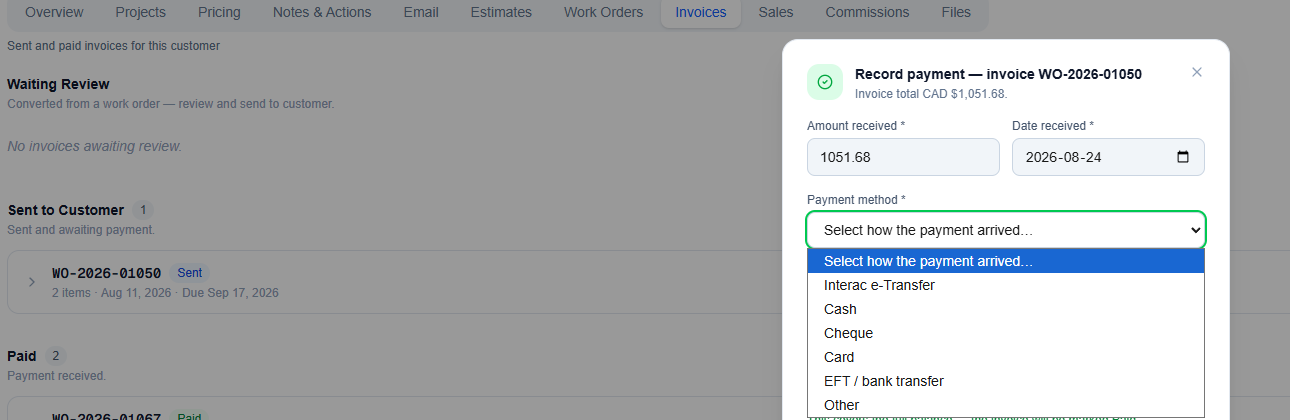
- Payments recorded by hand — cash, cheque, e-transfer, a card taken elsewhere
- Partial payments tracked against the balance
- Deposits requested against a work order before the job starts, carried through to the final invoice
- A receipt to the customer on every payment you record
- Recurring charges that generate their own invoices, with the next billing date visible
Taking card payments online is the Payments add-on — free to enable, per-transaction fee.
WHAT LANDS ON YOUR ACTIONS LIST
- Today’s appointments
- Invoices past due, and estimates still waiting on the customer
- A monthly bill that has not arrived this month
- Setup you started and did not finish
- Your own to-dos, with dates
Knowing what to do today
One Actions queue holds everything needing attention — what is due today, what is coming over the next few weeks, and anything the system noticed on your behalf.
- To-dos with dates, so today’s work and the weeks ahead are separate views of one list
- Overdue items, unfinished setup and today’s appointments raised for you, not typed in by you
- Missing-bill reminders — enter a monthly bill three times and AysOps starts noticing when it has not arrived
- A morning summary email with your appointments for the day and anything waiting on you, in your own time zone
- On by default, switchable per person, with one-click unsubscribe
- An account-wide activity log alongside it, recording who did what and when
Both the queue and the morning email are included. The digest makes no AI call, so there is nothing to charge for.
And the rest of it
Still included. Still nothing to buy.
Expenses and mileage
Expenses with categories, taxes, receipts and attribution to a customer, project or work order — so job profitability is measured rather than guessed. Multi-stop mileage with a vehicle list, odometer tracking and reminders. Both feed reporting.
Scheduling and the work calendar
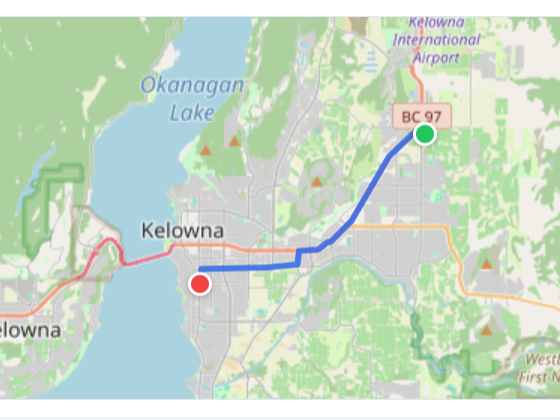
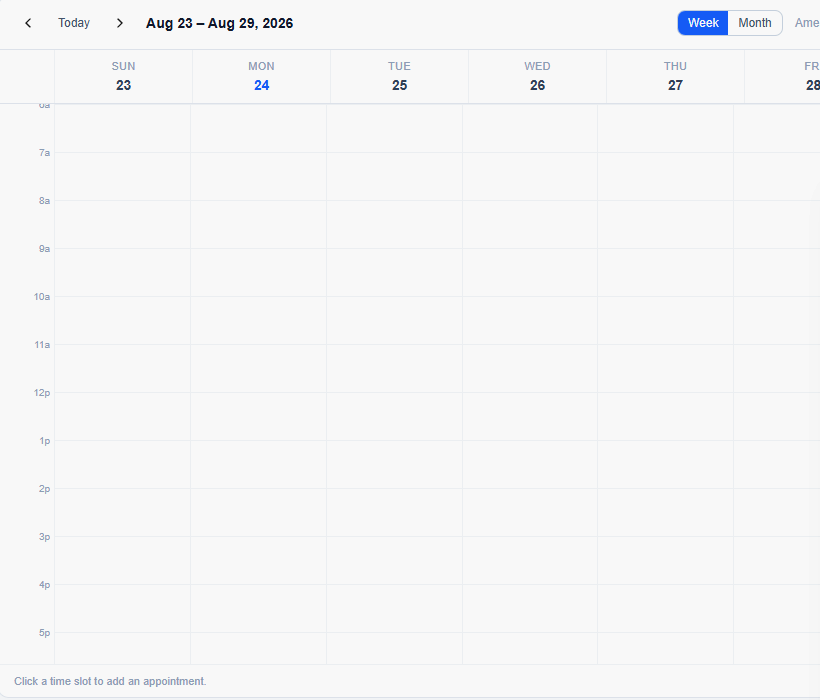
A week view with drag-to-reschedule and appointment types, and working hours, personal hours and closures that are actually enforced: unavailable time is shaded, a genuine double-booking is refused, and an out-of-hours or holiday booking warns before it is allowed.
What we charge for, and what we don’t
An add-on sells genuinely new capability. If a feature you already pay for would be incomplete without it, it is included.
An estimate you cannot accept is an incomplete estimate feature, so customer-facing quote approval is free. Your own logo on your own invoices is free. The morning digest is free, because it costs nothing to run. We were advised to put quote approval behind the customer portal, and kept it free instead.
Add-ons, if you want them
Each is bought on its own and priced for what it does — most between $2 and $10 a month. Most start with a 7-day free trial. Open one to see what it includes.
Add-ons are bought once for the business, not per person. Enable one and everybody on your team has it — only team seats themselves are billed per member.
AysOps Payments with Stripe
Take money without leaving the invoice.
Free to enable · 0.4% per transaction + Stripe’s fees
- A “Pay now” link on any invoice — card, or bank (ACH in the US, pre-authorised debit in Canada)
- Take a card yourself — press Collect payment on an invoice and key it in
- Autopay on recurring invoices — the customer consents once, their card is saved, and each cycle is charged automatically. A decline sends the ordinary pay link instead
- Stripe’s processing fees logged as an expense automatically
- An email the moment a deposit is paid, with the amount and a link to the job
- Payouts go straight to your own Stripe account
- Online payment can be switched off for any individual invoice
Free to enable; 0.4% per transaction with no minimum, plus Stripe’s own fees. New accounts pay 0.2% for their first three months. Our fee is capped at $5 on bank payments.
AysOps Teams
Bring people in without handing them the keys to everything.
- Account types — Driver, Field tech, Receptionist, Dispatcher, Sales, Subcontractor, Viewer, Manager, Administrator. Pick one at invite and it sets their permissions
- Every account type within a tier costs the same, so you pick the one that fits the job, not the price
- The Licence Helper — tick what someone must be able to do and it names the cheapest account type that covers it
- Personal work stays personal — without the “see others’ work” permissions, a colleague’s appointments show only as a grey Busy block, and Expenses and Mileage show only that person’s own entries
- Assign to-dos and follow-ups to yourself, the whole team, or specific people
- Changing a licence shows the cost difference and exactly which permissions they gain and lose before you confirm
- Invite someone who already uses AysOps at another company — they join with their own role, and their company is unaffected
- Seats bill per member on your existing subscription, prorated when you add or remove someone
AysOps AI
Reads the paperwork so you don’t have to.
· 30-day free trial
- Snap a receipt and the expense fills itself in — and it flags one that looks like a receipt you already entered
- Photograph an odometer and the reading goes into your mileage log
- Upload a card or bank statement and AI reads every charge, matches them to expenses you have already entered, and shows you what is on the statement but missing from your books
- Works out the exchange rate you were actually charged on a foreign-currency expense — and never overwrites a rate you set yourself
- Review a meeting transcript — a summary and suggested follow-ups, each kept or discarded by you, as its own task, email or call with a date and owner
- Suggests your region’s statutory holidays when you set your working hours
- With QuickBooks Sync: suggested matches for customers, vendors and items — names only, and you confirm every one
One shared allowance for the whole team, with a usage page showing who used what and warnings at 80% and 100%. Top up any time with an AI Boost. The trial is 30 days or $2 of usage, whichever comes first.
Calendar Sync
Your AysOps appointments, in the calendar you already live in.
- Push appointments to Google Calendar, Microsoft 365 or Apple iCloud
- Two-way on the AysOps calendar — add or change an event there and it appears here, editable from either side. Only the calendar we create is read that way; your personal calendar is never read for content
- Edit the same appointment in both places and nothing is overwritten — it lands on your Actions list to sort out
- See who is free before booking — team members’ busy times show as grey bands. Connecting shares only start and end times, never titles or details
- Pick which of your other calendars also count as busy, each a separate opt-in
- Delete an AysOps appointment in your own calendar and it lands on your Actions list — it never just disappears
- Appointments show in each person’s own time zone
Works with Google, Microsoft 365 and Apple iCloud only. If it does not work with yours, cancel within the 7-day trial — or turn it off within the first hour and the trial is not even used.
Online Booking
Let customers book you, from the website you already have.
- A booking page of your own — one for the business, one for each person customers can book. Opaque links, never indexed by search engines
- Decide what can be booked — each service has its own name, description, length, whether it is on-site or remote, and which of your people offer it
- Real time slots from your work calendar, honouring your working hours, closures, appointments already booked, and travel time between jobs
- Set how much notice you need, and how far ahead customers may book
- Customers confirm their email once — with Google, Microsoft, or a link — then book. Name and phone are asked for once and never again
- On-site visits stay in range. Set how far you will travel; anyone further is offered a remote appointment instead, and their address is still saved to you as a lead
- A confirmation email with the appointment attached, so it drops into their own calendar — and they can cancel from that email, which frees the time on yours
- Bookings land on the calendar of the person booked with, create the customer for you with duplicate detection, and leave a to-do so the job is followed up
- You choose who appears — one switch for the whole team, and anyone can be switched off individually
Not a website builder — it works alongside whatever site you already have.
Customer Portal
Somewhere to send a customer who asks “what did I pay you in March?”
- A private area for each customer — they sign in with Google, Microsoft, or a link emailed to them, so there is no password to invent or forget
- Their invoices, receipts and payment history in one place
- Past and upcoming work, plus the files you have shared with them
- Their recurring services and when the next one bills
- They can ask you for more work without starting an email
- Never indexed by search engines, and only they can see their own records
Accepting an estimate is free and built into AysOps. The portal adds everything else.
QuickBooks Sync
Stop typing everything twice.
- Connect once and import your existing QuickBooks setup — tax codes and rates, customers, vendors, items, company info
- From then on your invoices, payments, expenses and estimates push automatically every night
- Customers, vendors and items you create in AysOps are pushed out too, with a duplicate guard
- On a multicurrency company, new customers are created in the right currency, and the currency is checked before an invoice goes over
- Map your categories to QuickBooks accounts, and create a missing account from the mapping screen
- Records changed in QuickBooks after linking are flagged for you to decide — never overwritten silently
- Void an invoice or delete an estimate here and it happens there too
- Plain-English explanations of every tax code it imports, with an Add or Skip recommendation
- Cancel and it disconnects cleanly, so reconnecting never sends anything twice
AysOps Password Vault
The logins a business depends on, in one encrypted place.
- Two separate vaults — your own business logins stay owner- and admin-only, while customer logins can be opened to a staff member when they need them
- File each credential against the customer, a project, or the business itself
- More than passwords: Wi-Fi and router logins, licence keys, PINs, recovery codes, secure notes
- Encrypted at rest (AES-256); revealing anything asks for your personal vault passphrase, and a forgotten passphrase can be reset without losing a single credential
- A strong-password generator, and an access log of who viewed or changed what
- Import from another password manager’s export file — never sent to AI, and kept only if you choose
AysOps for Zoom
A Zoom link on every remote appointment, created as you book it.
- Works with any calendar — Google, Microsoft, Apple, or none at all
- You get the host link; your customer gets the join link in their invite
- Dial-in numbers for customers who cannot do video
- Meetings are created on your own Zoom account — your plan, your recordings, your settings
- Reschedule and the Zoom meeting moves; cancel and it is deleted
- Optional transcript import — fetch a call’s text transcript onto that customer with one press. Text only, never audio or video; needs a Zoom plan with transcription
- A reminder on your Actions list after a remote meeting, counting down for seven days
- With AysOps AI: a summary and suggested follow-ups from a saved transcript
Disconnecting Zoom permanently deletes every imported transcript — you are told the exact number first, and your meeting links are kept. Cancelling the add-on is different: both stay.
AysOps for Google Meet and Microsoft Teams
The same, for the calendar you already sync.
· requires Calendar Sync
- A Meet or Teams link on every remote appointment, in the invite and the .ics file
- Set the default for the business, override per appointment, or choose Zoom if you have that add-on too
- Dial-in numbers and PIN whenever your Google Workspace or Microsoft 365 plan provides them
- Optional transcript import for Meet and for Teams, where transcription was on
- Microsoft ships Teams transcript access switched off for every organisation. AysOps detects that and puts the fix on your Actions list — the admin-centre steps and a command your IT admin can paste. It clears itself once access works
- If a Microsoft account cannot create Teams meetings yet, the booking screen says so rather than quietly leaving the link off
Requires Calendar Sync with a Google or Microsoft 365 calendar.
Extra Storage
More room when the included 2 GB isn’t enough.
Stackable, on top of your included allowance, and billed from day one with no trial.
AI Boost
A top-up when your AI allowance runs out.
Requires AysOps AI, billed from day one, and not available during the AI free trial.
Coming soon
Specified and on the way. Not available to buy yet.
See it for yourself
Poke around a live demo account, or start your own 90-day free trial.